Disqualifying and Requalifying Prospects
Overview
If you encounter prospects who may not be interested in collaborating or are just not good fits for your program, then you have the option to disqualify them. This guide will walk you through how you can mark prospects as Disqualified. You can also requalify a prospect that was initially disqualified.
How to Disqualify a Prospect
1. Go to Contacts > Prospects.
2. Select the creator(s) that you wish to disqualify.
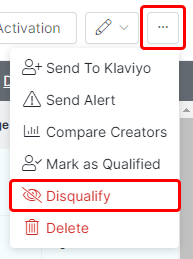
3. Click on More Options and select Disqualify.
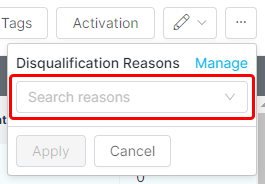
4. Select a Disqualification Reason and click Apply.
5. All disqualified creators will appear with a Disqualified label within your Prospects list.
How to Requalify a Prospect
1. Go to Contacts > Prospects.
2. Click on the creator that you would like to requalify.
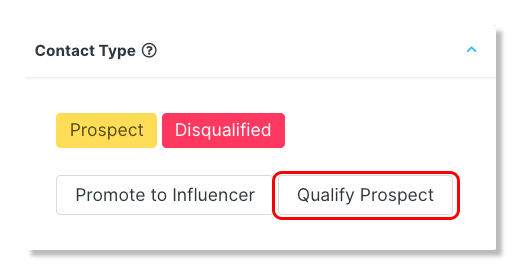
3. On the creator's profile, click on Qualify Prospect in the Contact Type section.