Setting Up Instagram Story Tasks in a Partnership
Use the following guide to learn how to set up Instagram Story tasks within your partnerships. Setting up Instagram Stories will give you the ability to pull in your creator's Story content along with the metrics of those Stories.
What You'll Need
At least one creator added to your account.
How to Do It
1. Click Contacts and select Creators.
2. Locate the creator you'd like to create a partnership with and click Manage.
3. Under the Partnership section, click on the Edit Partnership icon or the New Partnership button.
Note: You can also edit an existing partnership within your partnerships dashboard by clicking on Programs and selecting Partnerships.
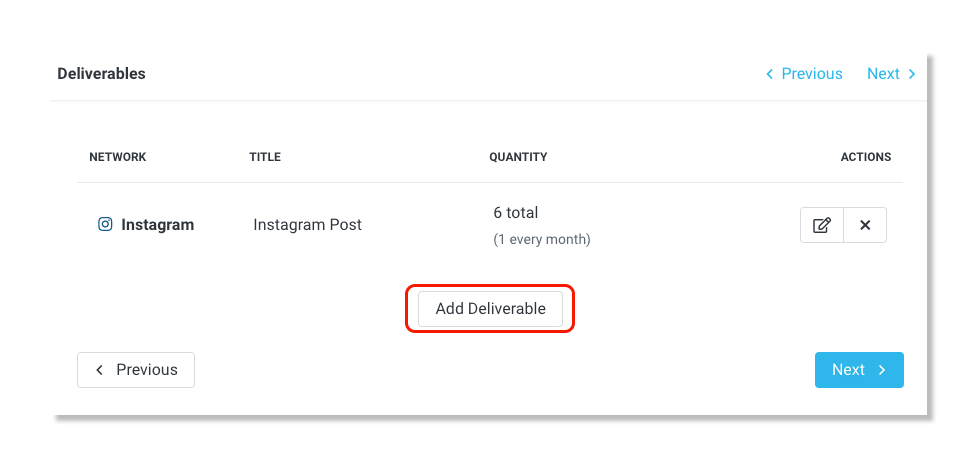
4. In Step 3: Deliverable, click Add Deliverable.
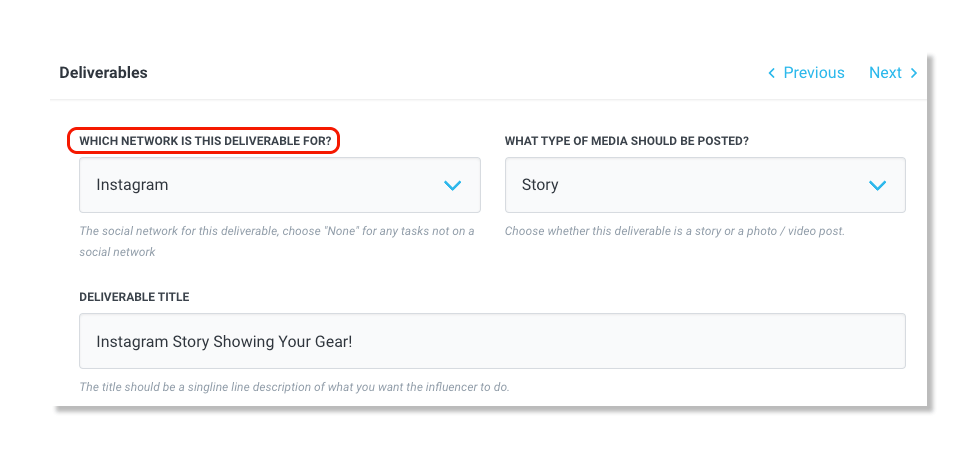
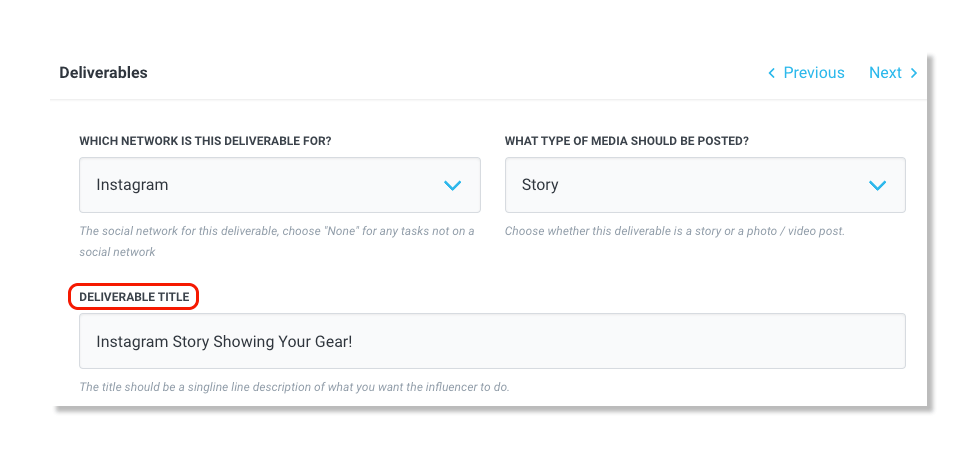
5. For Which Network is This Deliverable For?, select Instagram.
6. For What Type of Media Should be Posted?, select Story.
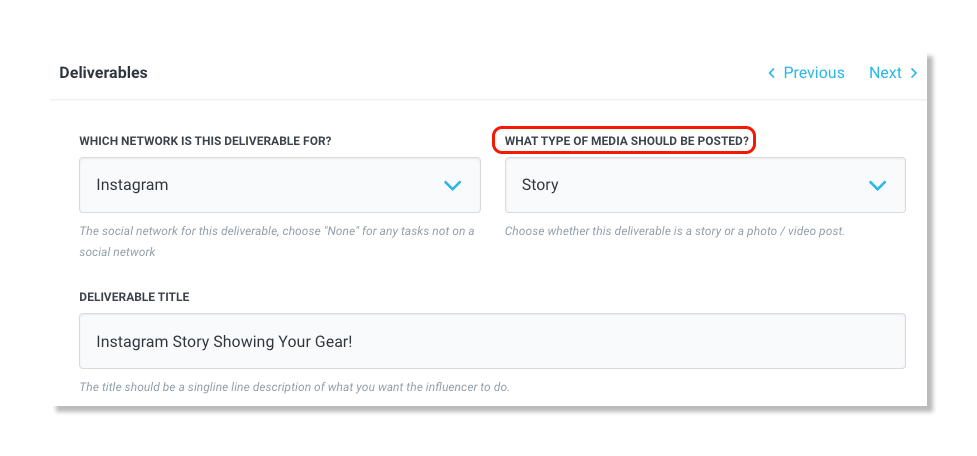
Note: For deliverable story tasks, you must have as many deliverables as frames you want to be pulled into the Partnership. For example, if a creator posts a story with 3 separate frames, all of which mention your brand, and you would like all 3 stories to pull in, you will need to add 3 story deliverable tasks.
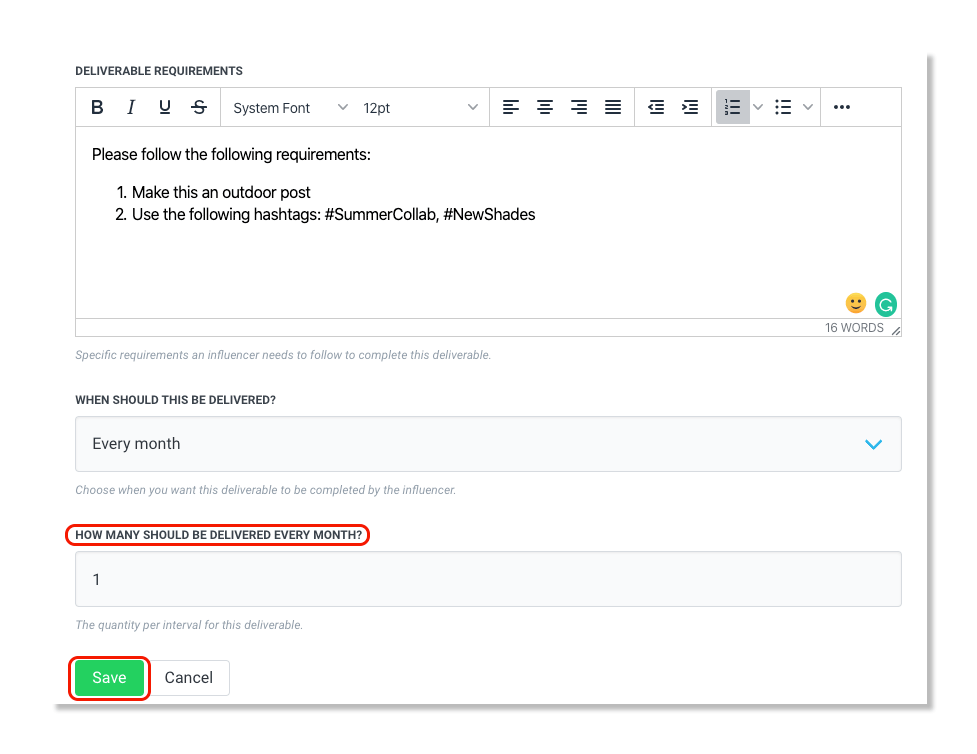
7. For Deliverable Title, add a task name.
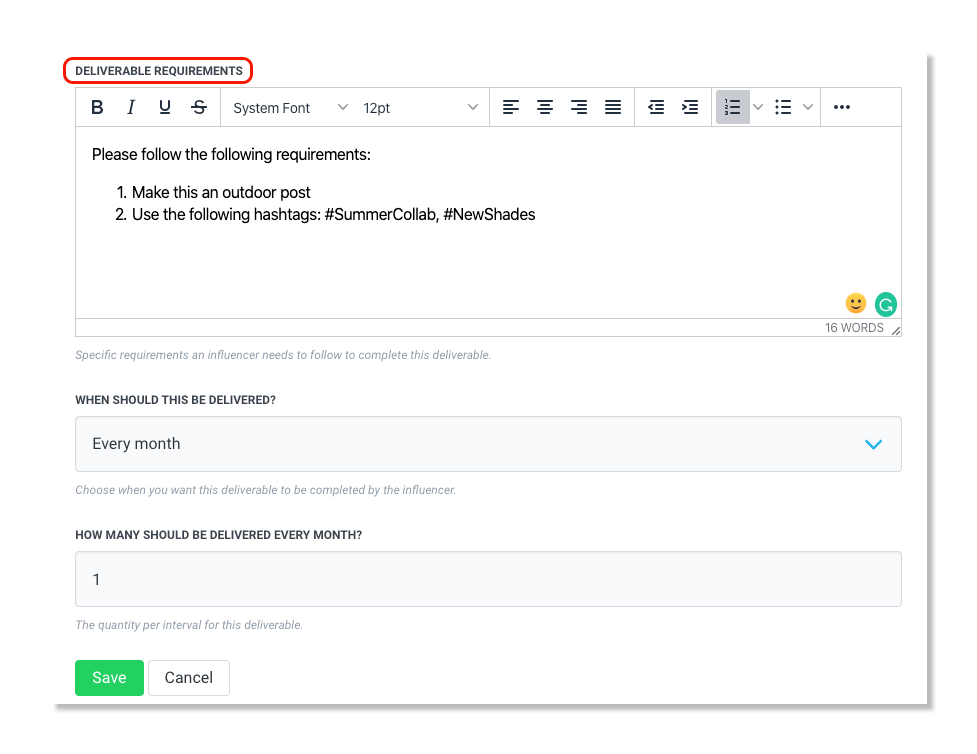
8. Under Deliverable Requirements, include the deliverable requirements that the creator should follow.
9. Under When Should This be Delivered?, select how often you want the task to be delivered.
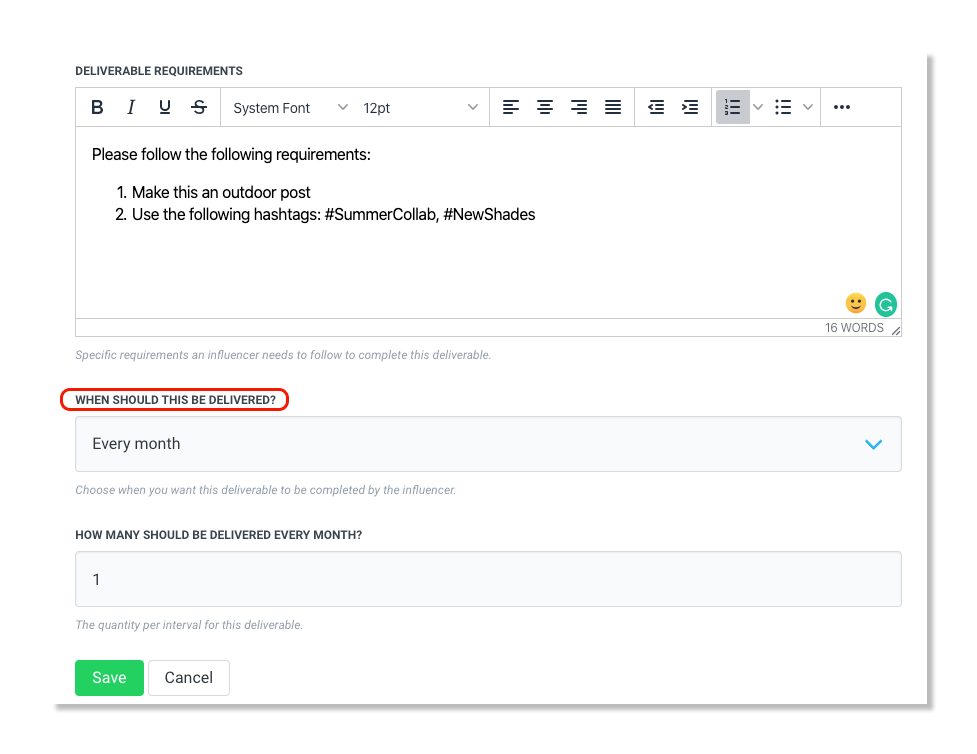
10. Select how many posts should be delivered every month and click Save.