
Using YouTube Search
You can search, discover, and recruit YouTube creators with YouTube Search. By using filters and search terms, you can narrow down your search results to find your preferred creators and add them as contacts in GRIN.
What You'll Need
Open capacity in your account for Creators or Prospects. You can check your available capacity from Account > Account Details.
How to Do It
1. Navigate to Recruitment > Creator Search.
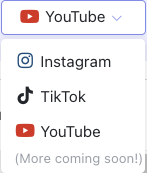
2. Select YouTube to switch your search results to YouTube creators.
3. Apply filters to narrow down and refine your results:
Creator filters: Follower Count, Engagement Rate, Average Engagements, Average Comments, Average Likes, Gender, Language, Countries, Most Recent Post, and more.
Audience filters: Language, Gender, Age, Countries.
Search Category: Theme, Creator, Creator Look-alike, or Audience Look-alike.
4. Learn more about a creator by selecting their name or clicking View Profile. This opens a panel with Audience Report, creator statistics, and content previews.
5. Add the creators you want as a Prospect or Creator. Hover over a row and click More Options, or select multiple creators via checkbox.
6. Complete optional fields as desired: Relationship Stage, Add to Activation, Initial Tag(s), and Add a Manager or Agent.
7. Select Add Prospects or Add Creators.
The creator(s) have now been added as new contacts to your Prospects or Creators. Now, you're ready to begin outreach with these creators, nurture relationships with them, and collaborate with them on programs.