
Configuring Store Connection Settings
Overview
You can configure your Ecommerce store's Connection Settings, which determine how your products are synced, how orders and shipments are handled, and how affiliate links and discount codes from that store are attributed to creators.
Note: This setting only appears if you've connected an Ecommerce store to your Brand. For more information on integrating with an Ecommerce store, see our help article Integrating Your Ecommerce Store.
How to Do It
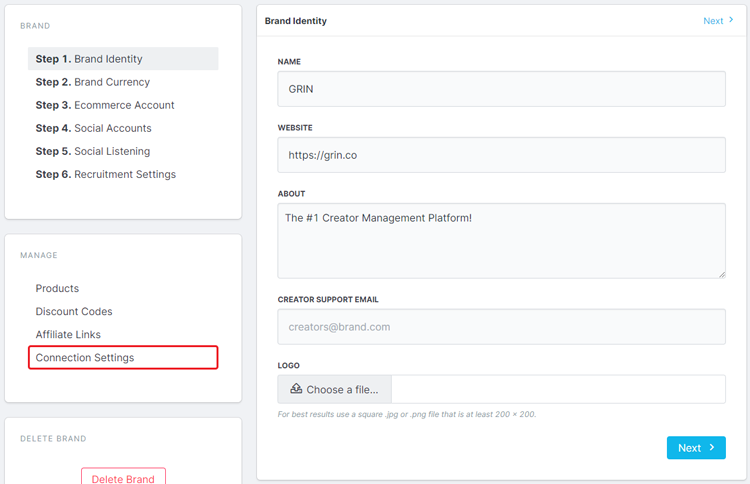
To access these settings, navigate to the Brands page and click the Edit Brands button on your Brand. Then, click Connection Settings.
Conclusion
Each Ecommerce store has different connection settings. You can find out more about your store's connection settings with the articles below.