
Upgrading from Free Trial to Paid Subscription
How to Upgrade
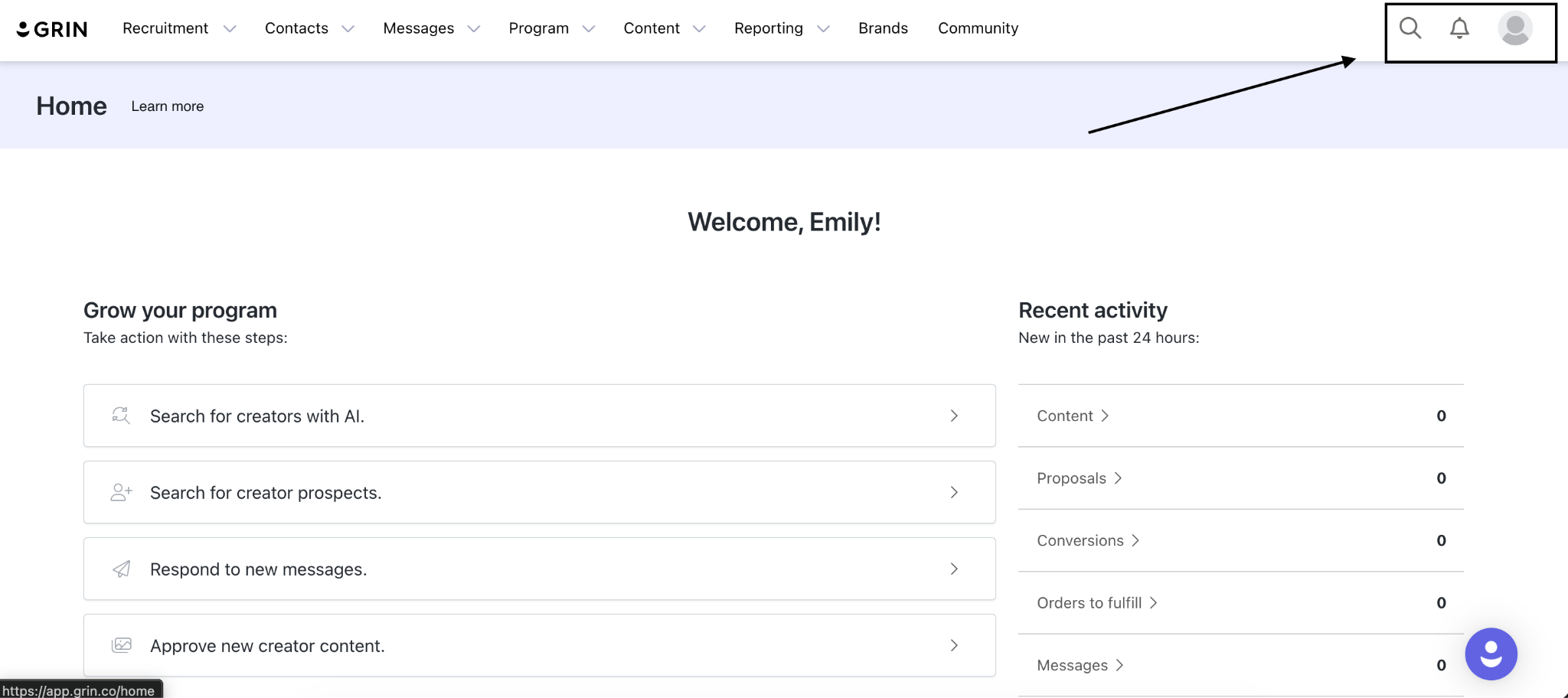
Start on the GRIN homepage
Locate the profile (face) icon in the top-right corner.
Open Settings
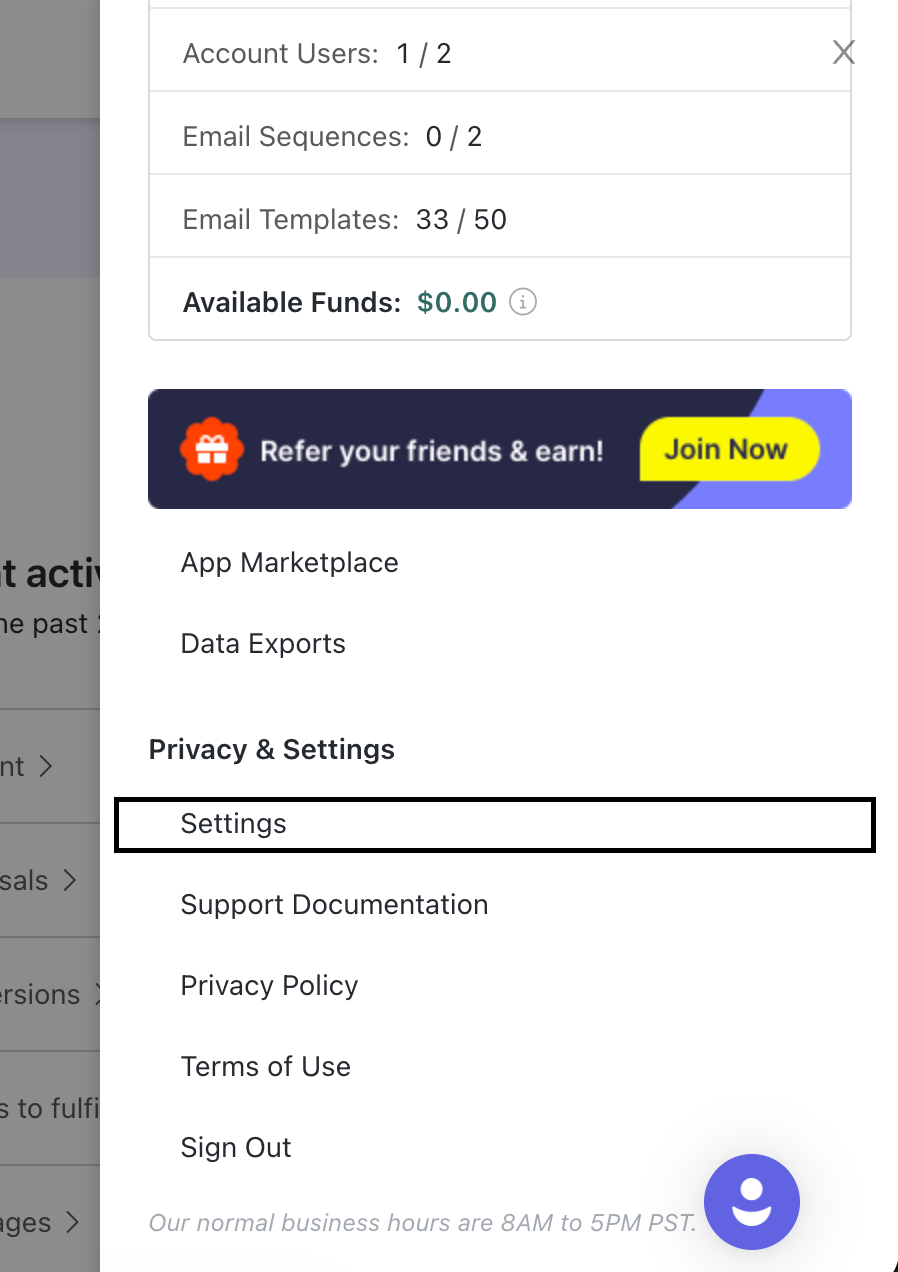
Click the profile icon.
Scroll down and select Settings.
Navigate to Subscription
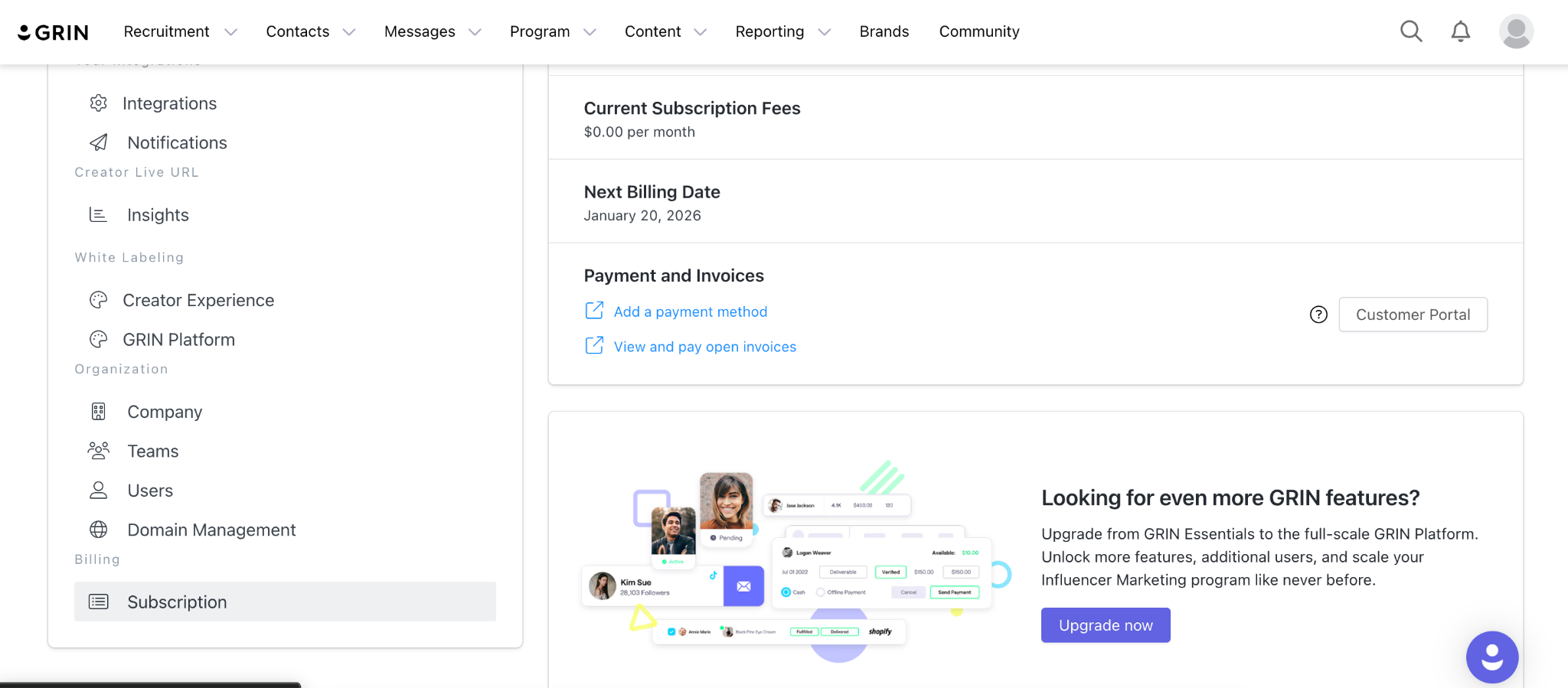
In the left-hand navigation, click Subscription, and select “upgrade now.”
Submit an Upgrade Request
An upgrade form will populate.
Complete and submit the form to request your upgrade.
Please Note: Add a payment method prior to upgrading or it will cause your upgrade request to fail.
What to Expect
Processing time: All upgrade requests take approximately 24 hours to complete.
This applies to:
Free trial → paid trial
Paid subscription → Upgraded/downgraded paid subscription package
Viewing Available Packages
Within the upgrade form, you’ll find a link to view all available packages.
Use this link to compare plans and select the option that best fits your needs.
Once submitted, no further action is required—your account will be updated once processed.