
Viewing Audience Reports
Once a creator has connected their related social network, you can request an Audience Report for that creator’s network. Audience Reports display a creator’s stats, such as their engagement rates or average comments, as well demographic information about the creator’s audience, such as their audience’s primary gender or most common country they’re viewing from.
The Report has two sections: Creator Data, which has stats about the creator, and Audience Data, which has stats about the audience. Creator Data is based on data the creator provides when they authenticate, while Audience Data is based on self-reported data from the creator’s followers. Audience Reports are a great way to learn more about your creators and the audiences they are promoting your brand to!
Currently, GRIN offers Audience Reports for Instagram, TikTok, and YouTube.
Note: You may request up to 100 reports per month. After you make a request, you'll always have access to that Report.
What You'll Need
A creator added as a contact in Contacts > Creators.
A connected Instagram account on the creator's profile (if requesting a report for Instagram).
A connected TikTok account on the creator's profile (if requesting a report for TikTok).
A connected YouTube account on the creator's profile (if requesting a report for YouTube).
How to Do It
You can view more details on how to view Audience Reports and the associated metrics of the reports below.
Accessing an Audience Report
Note: This section goes through accessing an Audience Report from an existing contact's profile, but you can also access Audience Reports for creators you haven't added in Creator Search. See Using Instagram Search, Using TikTok Search, or Using YouTube Search for more information.
1. Navigate to Contacts > Creators.
2. Select the name of the creator you want to request a report for. This will open the creator’s Contact Profile.
3. If it’s not expanded already, select the Audience Reports module.
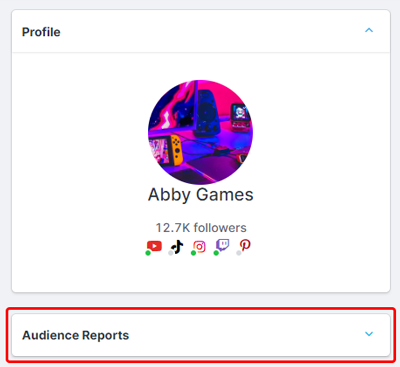
4. Select View Report.
This will generate an Audience Report on a new page with data from all the creator’s connected networks. You can find out what each statistic represents below.
Audience Report Metrics
Creator Data | Audience Data | Growth & Interests | Similar Creators |
|
|
|
|
TikTok
Creator Data | Audience Data | Similar Creators |
|
|
|
YouTube
Creator Data | Audience Data | Similar Creators |
|
|
|