
Paying Creator Commissions
Paying creators for their affiliate performance is a crucial part of maintaining a successful program. The Affiliate Hub allows you to track commissions earned and manage payouts all within it.
There are two ways to pay creators the commissions they earn:
Bulk-payments
Pay a creator individually
Bulk-Payments
In order to bulk-pay creators:
1. Select the creator(s) you want to pay.

2. Click on the Make Payments button.
3. Select the payable(s) you want to process (for more in-depth details on how to pay creators, look at this article).
Note: There are slight differences in the Affiliate Hub payment functionality from the article linked above. In the Affiliate Hub, you cannot edit the amount you want to pay for a payable (ex: if the payable is $1,000, you cannot edit it to pay $600 of the $1,000 owed).
Pay a Creator Individually
In order to pay a creator individually:
Click on a creator.
Click on the Payments tab.
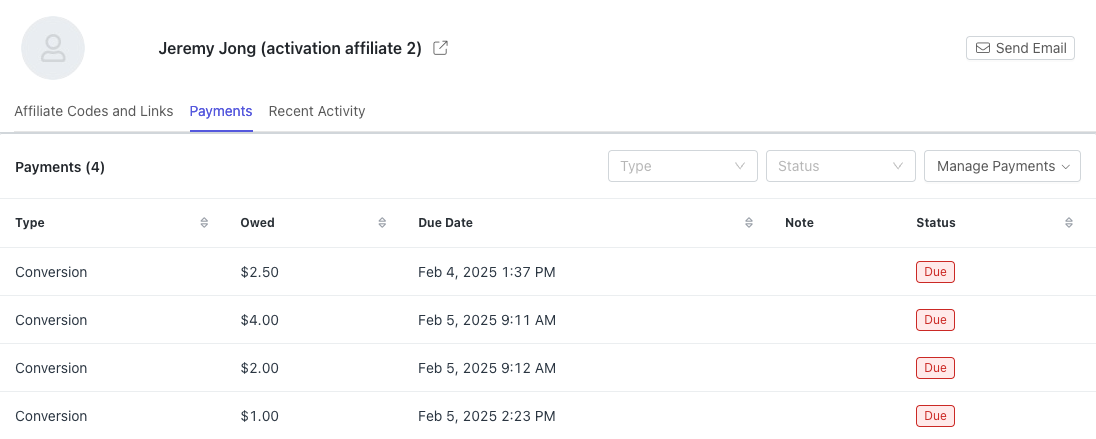
3. Click Manage Payments > Make Payments.
4. Select the payable(s) you want to process.